
Events
Run your event on RallyBook.
A desert race, a roadbook school, a one-day ride with friends: create the event, upload the stages, hand your riders a password. Encrypted delivery, approvals, documents and results, sized by plan. Riders never pay.
The flow
You set the event up. Riders find their way in.
01
Create your event and upload the roadbooks
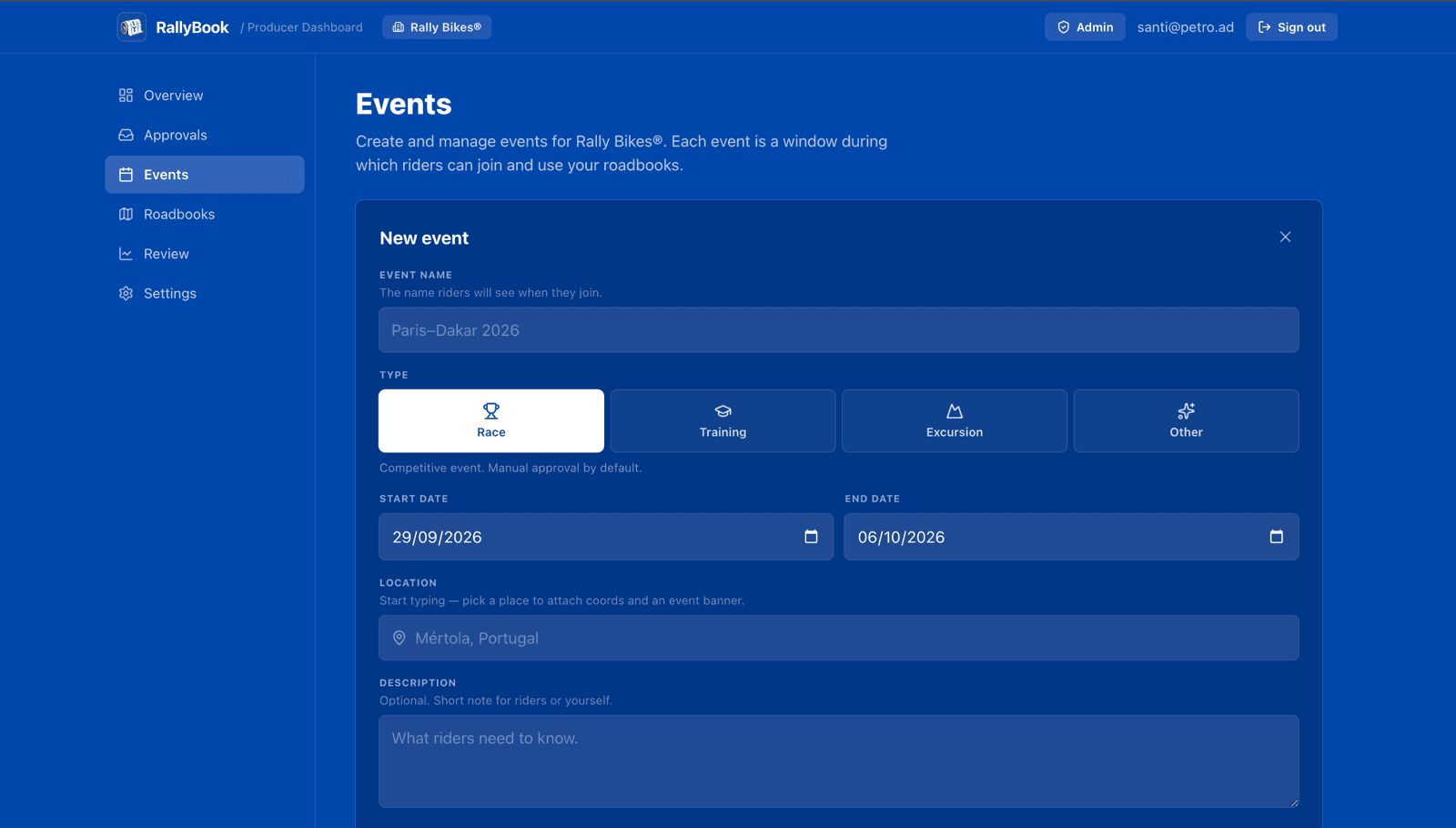
Give the event a name, pick the dates and location, drop in a banner image. Drag your stage files into the upload zone: GPX from your favorite planner, PDF roadbooks, or .cap files from RallyCAP. We encrypt them on the way in and store them safely; the originals never live anywhere a casual click could leak them.
02
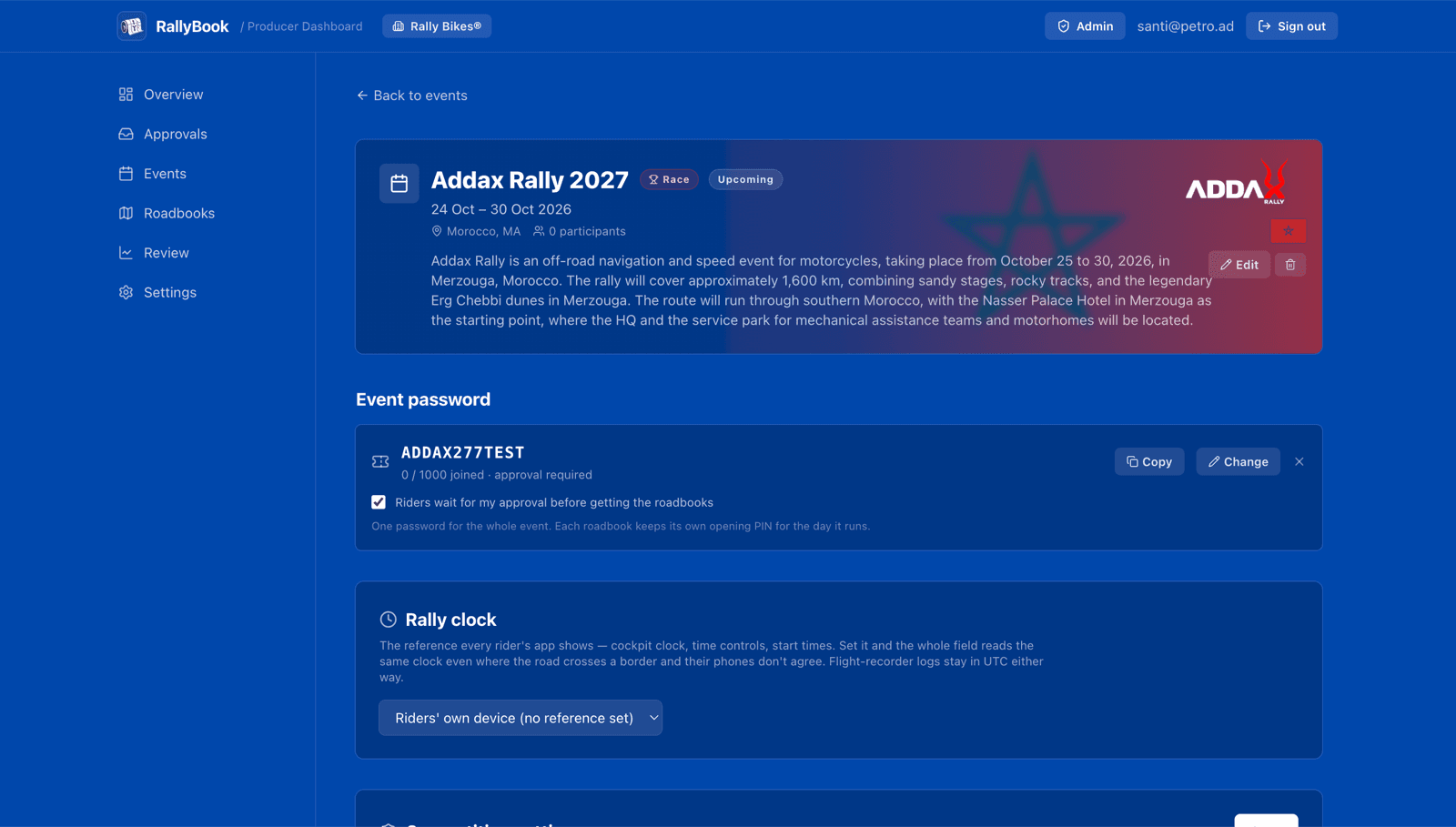
Set the event password
One memorable string (DAKAR26, AVENTURADESERTO, whatever fits) replaces your shareable folder link. Choose if you want to approve riders manually or let everyone with the password in automatically. You can pause it whenever you want; new joins stop immediately.
03
Share with riders, the way you already do
Put the event password in your sign-up email, your event WhatsApp group, the notice board at the riders' briefing, wherever your riders already are. Or invite riders by email from the entry list, and the event is waiting when they sign in. If you have names and bibs ready in advance, pre-list them and their entries lock in automatically.
04
Approve and run the show
Riders appear in your participants list as they join. Approve them one by one (with notes, bib numbers, anything you need) or skip approval entirely for open events. You see live counts and country flags the moment they join.
Participants
See your start list come alive.
Bibs, names, country flags. Edit them inline. Pre-list riders before they even register, and the entry slot waits for them. Import a whole entry list from CSV, approve in bulk, and revoke access without deleting anyone's history.
- Manual approval for races where you vet entrants
- An open password for training sessions and group rides
- Per-rider download status, so you know who has the correction
- One inbox for every request waiting on you
Secure roadbook distribution
You spent months building it. Keep it yours.
Every time a paper roadbook gets photocopied or a GPX gets forwarded, a season's work walks out the door. RallyBook gives the rider exactly what they paid for, and nothing they can hand to anyone else.
The file on the device is scrambled
The roadbook your rider downloads isn't a readable GPX. It's a scrambled blob that only opens inside the RallyBook app, under the rider's account. AirDropping it to a friend doesn't share anything useful: there's no roadbook on the other side.
It's locked to the rider, not the device
Access is granted to a RallyBook account, not a phone. If a rider gets a new device they reinstall, sign in, and their library is back. Anyone trying to use a borrowed file from a different account hits a closed door.
Access ends when the event ends
You set the start and end dates when you create the event. After the end date passes, the rider's device deletes the local copy on next refresh, and our servers stop handing out the key. The card stays as a history entry, but nothing inside it is openable anymore.
The share sheet is disabled
The normal 'send file' menu is turned off for event roadbooks. There's no 'open in Files', no 'send to Mac'. The roadbook only exists for the rider who unlocked it, and only inside RallyBook.
We're honest about what this isn't. A determined attacker with the right tools could probably extract decrypted bytes from a device they control. No protection on a general-purpose computer survives that. RallyBook is built to stop the 99%: the casual forward, the well-meaning rider who wants to share with a friend, and the previous edition's files circulating on the grid.
Common questions
Before you sign up.
What file formats can I upload?
How many riders can join one event?
Do my riders pay anything?
Can a rider use the roadbook offline?
What if a rider loses or breaks their device?
Can I revoke a rider's access mid-event?
Which platforms do my riders need?
Can I correct a roadbook after riders have downloaded it?
Get started
Ready to publish your first event?
Create your organization and set an event up for free. You only pick a plan when you're ready to hand roadbooks to your riders.
Public events
On the calendar.
Rallies, training camps and group rides whose organizers distribute the roadbooks through RallyBook. Joining takes the event password and the app.


Invited to one of these?
You'll need the event password.
Your organizer shares one string. Install RallyBook, sign in, and enter it. The event and every stage appear in your library.